Nomadical is an offline survival companion powered by an on-device AI assistant, giving you intelligent answers, document analysis, and a curated library of 1,000+ survival articles — all without an internet connection. The AI runs entirely on your device using Gemma 4, meaning no subscriptions, no API costs, and complete privacy. Whether you are deep in the wilderness or facing an emergency, Nomadical works when connectivity does not.
Nomadical packs a full suite of survival and preparedness tools into your Android device — no signal, no subscription, no compromises.
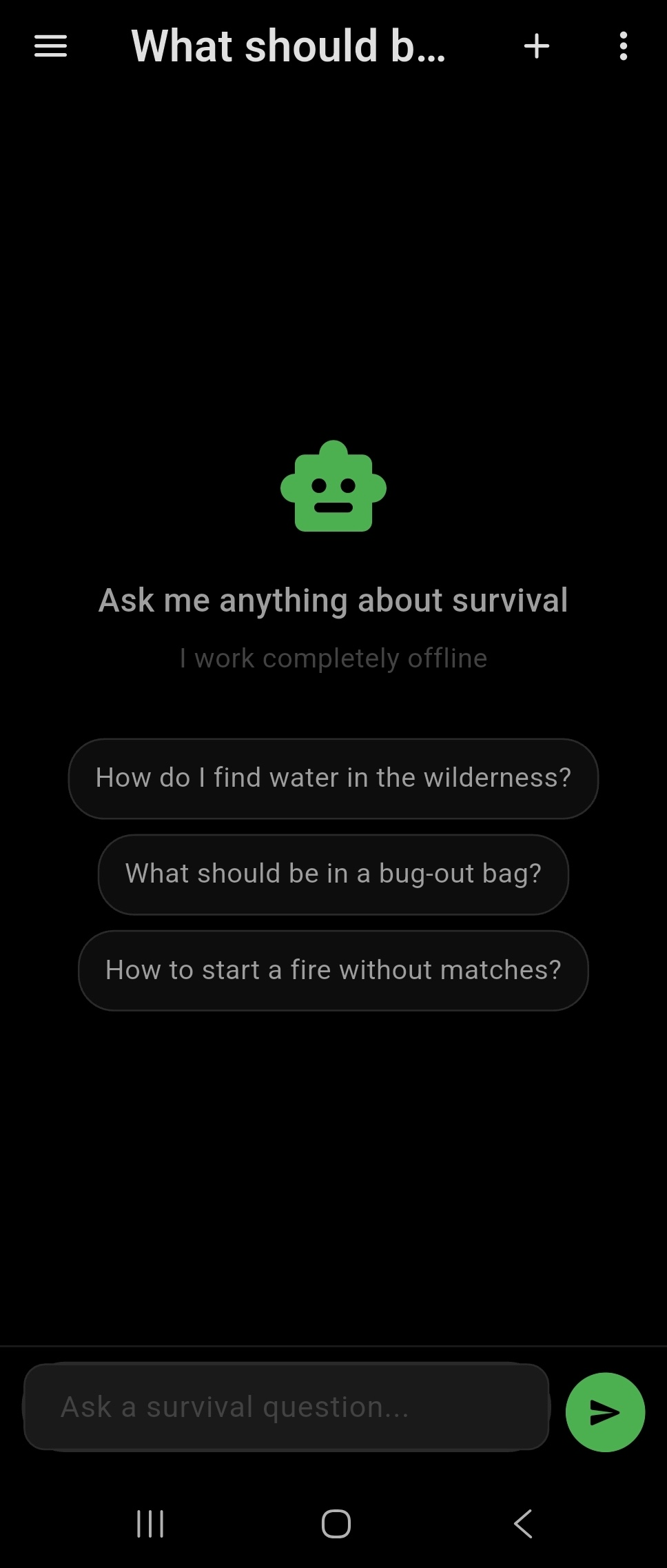
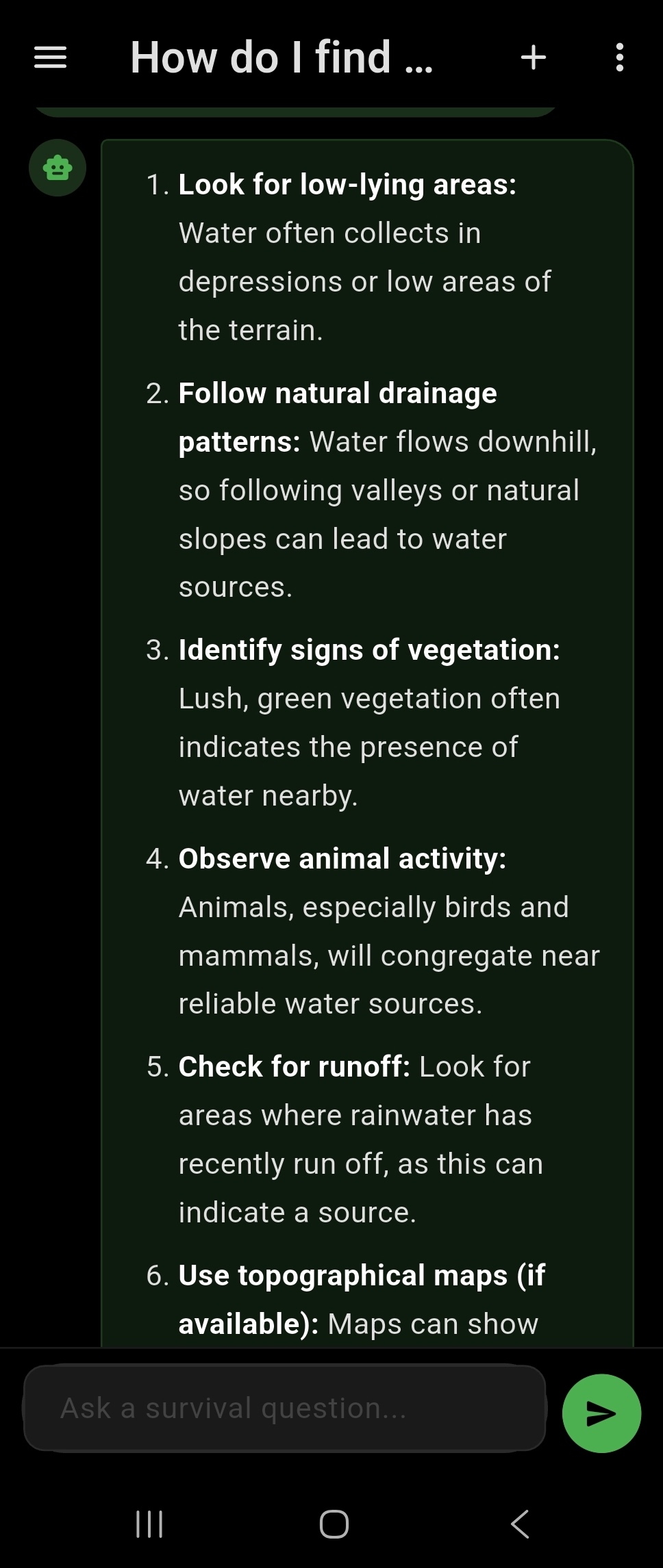
Nomadical includes a fully offline AI chat assistant powered by Gemma 4 2B, running entirely on your Android device with GPU inference and a CPU fallback for broader compatibility. You can ask survival questions, get step-by-step guidance, and receive contextual answers without ever sending data to a remote server. Because all processing happens locally, there are no subscription fees, no API costs, and no privacy trade-offs. The AI model is downloaded once during initial setup and then operates independently of any internet connection. This makes it reliable in remote wilderness areas, emergency situations, or any environment where connectivity is unavailable.
Use Case
A hiker becomes stranded after a trail washout and loses cell service. They open Nomadical and ask the AI assistant how to build an emergency debris shelter for overnight temperatures near freezing. The assistant provides detailed, step-by-step guidance entirely on-device, with no signal required.
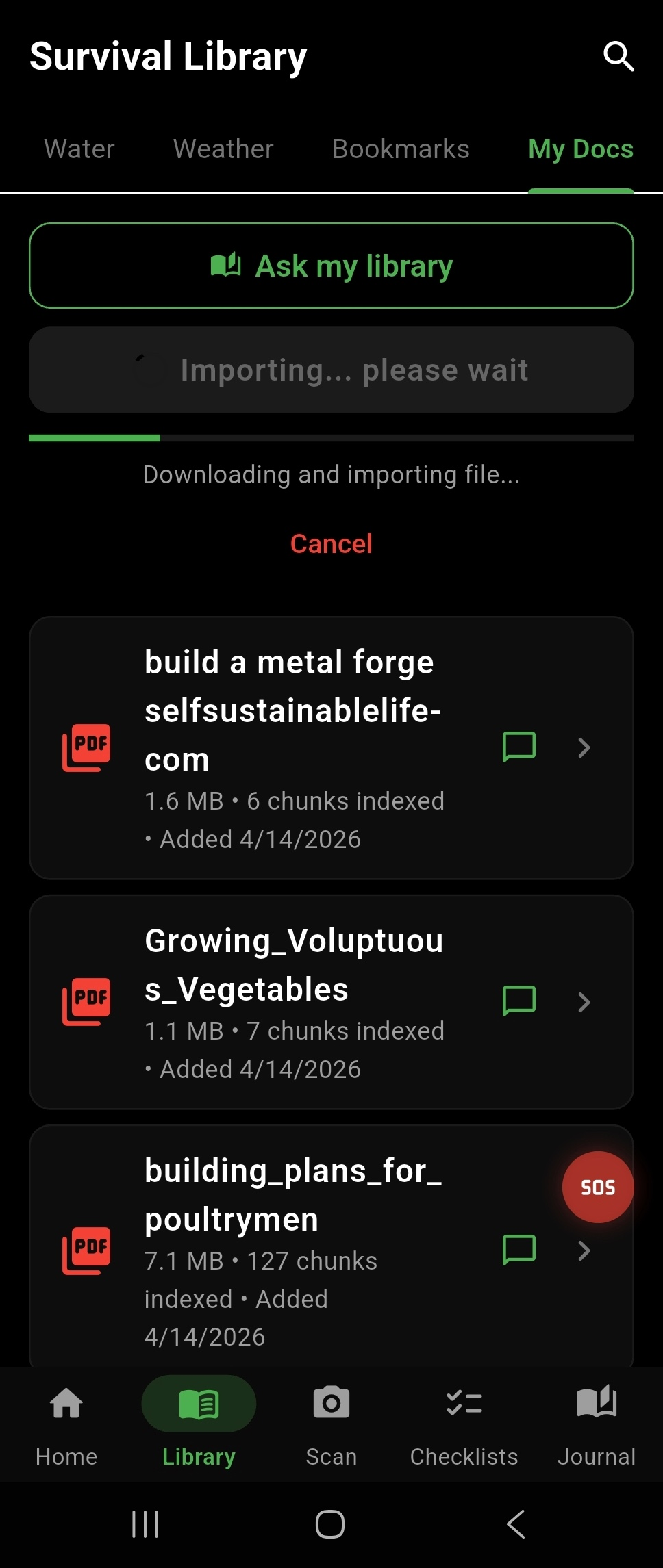
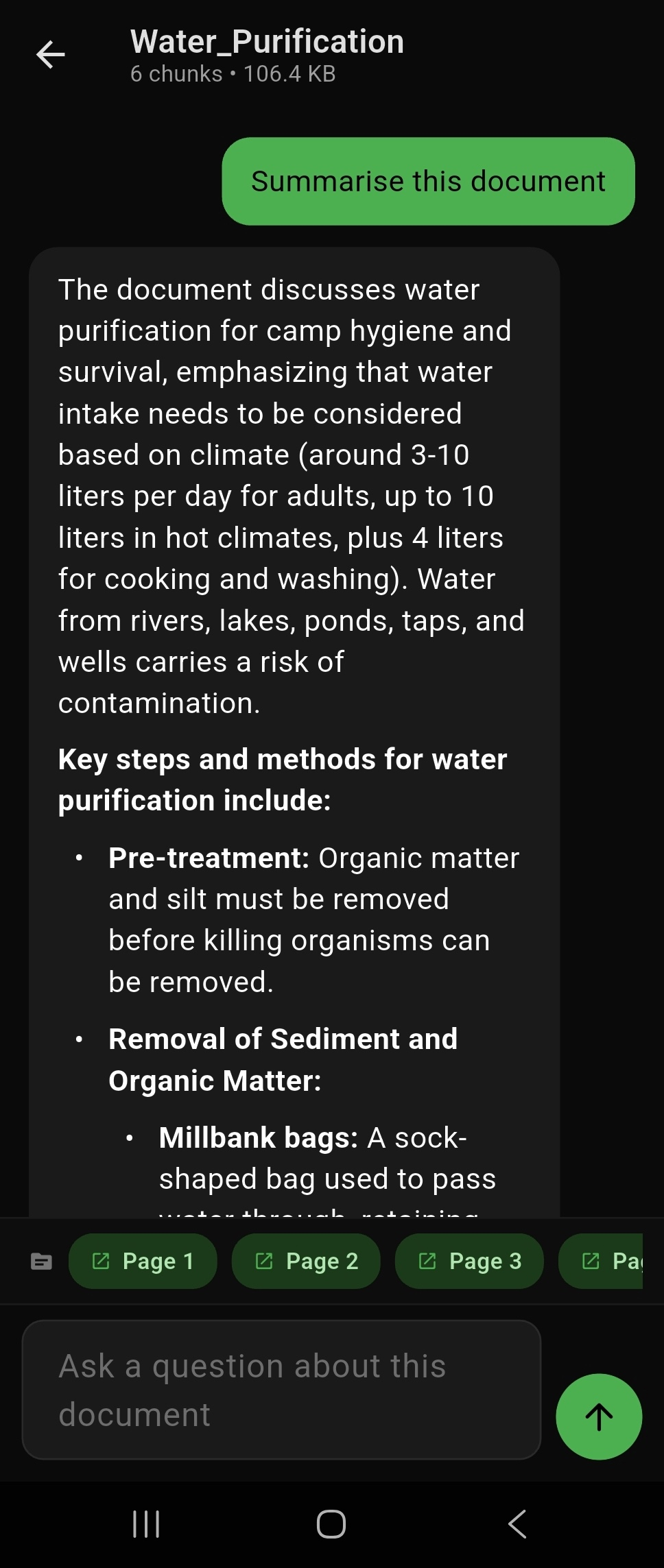
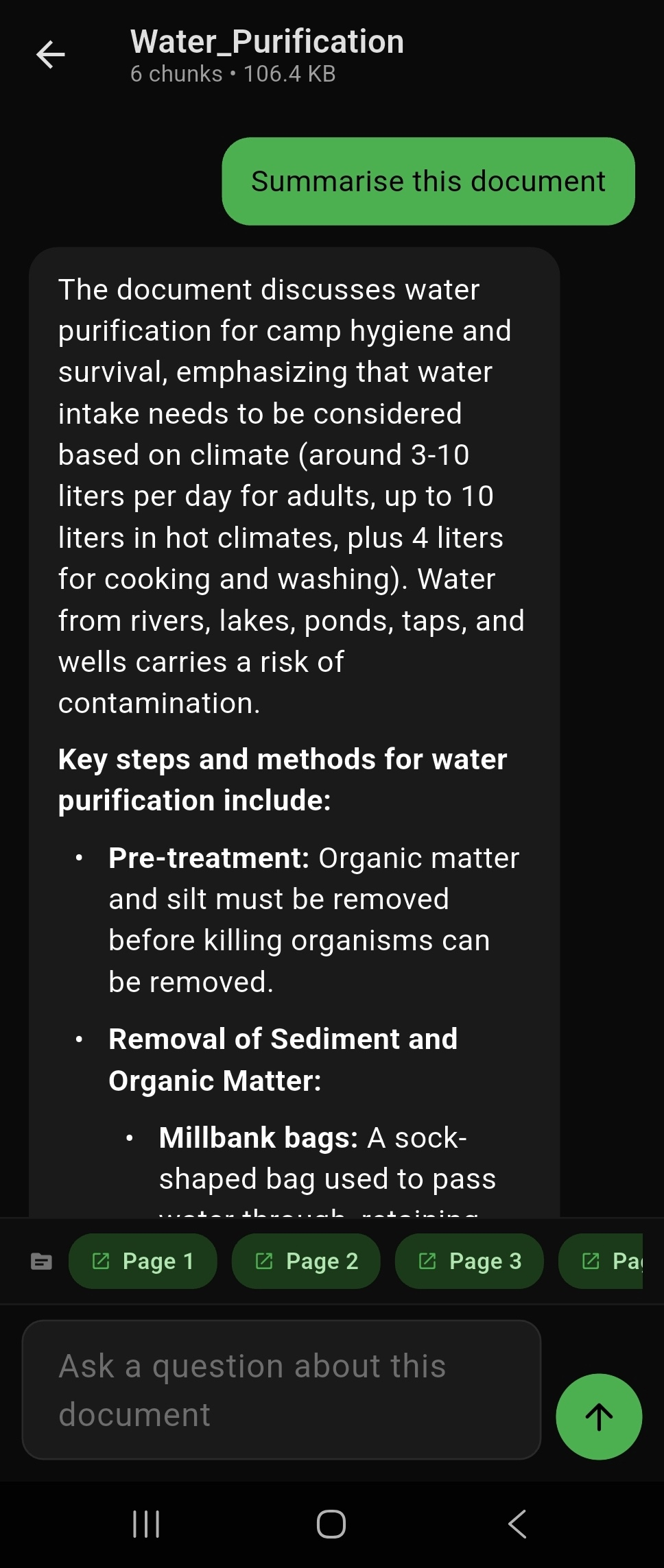
Nomadical's on-device Retrieval-Augmented Generation (RAG) system lets you import your own PDF, TXT, and Markdown documents and then chat with them using the AI assistant. The app indexes your uploaded files locally and retrieves relevant passages to ground AI responses in your specific documents. This means you can bring your own field manuals, medical references, or personal notes and query them intelligently without any cloud processing. A cross-library search feature lets you query across all uploaded documents simultaneously. All indexing, retrieval, and inference happen on-device, keeping your personal documents completely private.
Use Case
A wilderness medicine instructor uploads their personal field reference manual as a PDF before leading a remote expedition. During the trip, they chat with the document to quickly locate specific wound care protocols, with the AI surfacing the exact relevant passages from their own manual — offline and instantly.
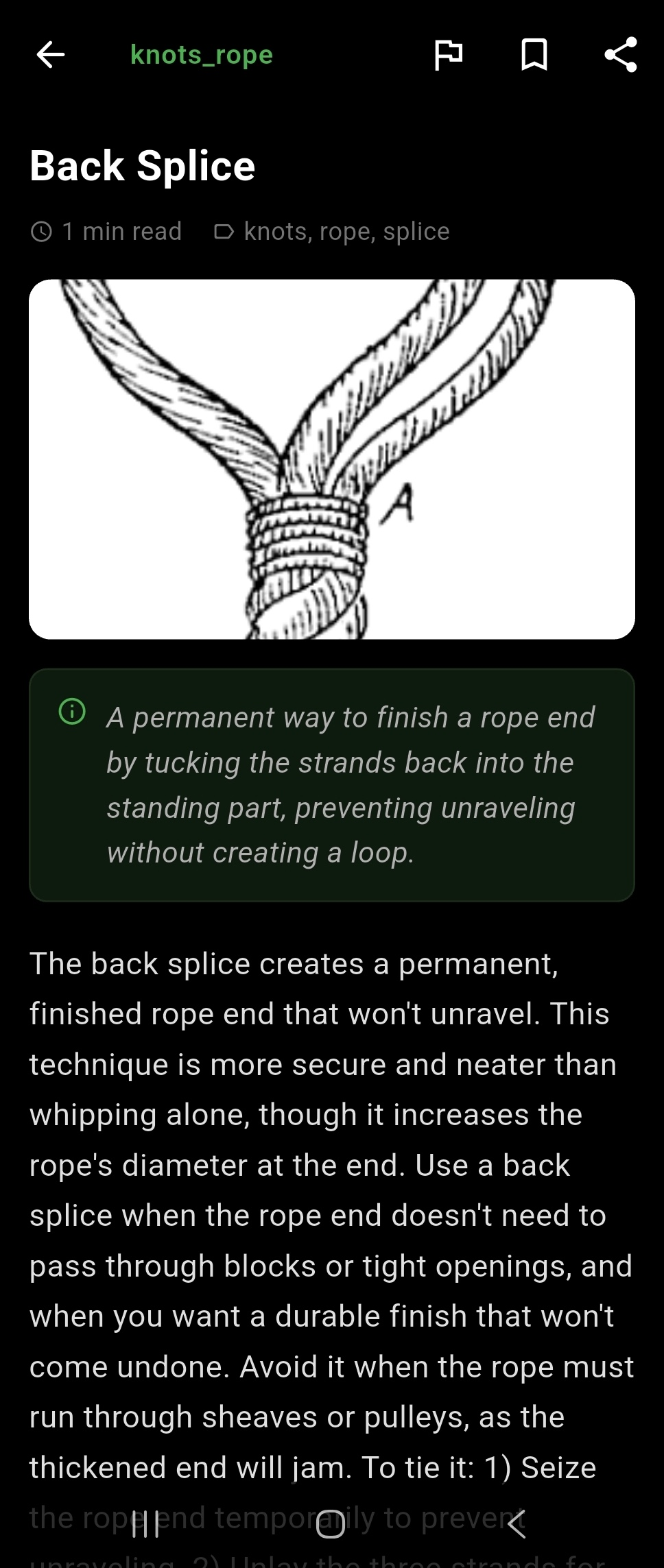
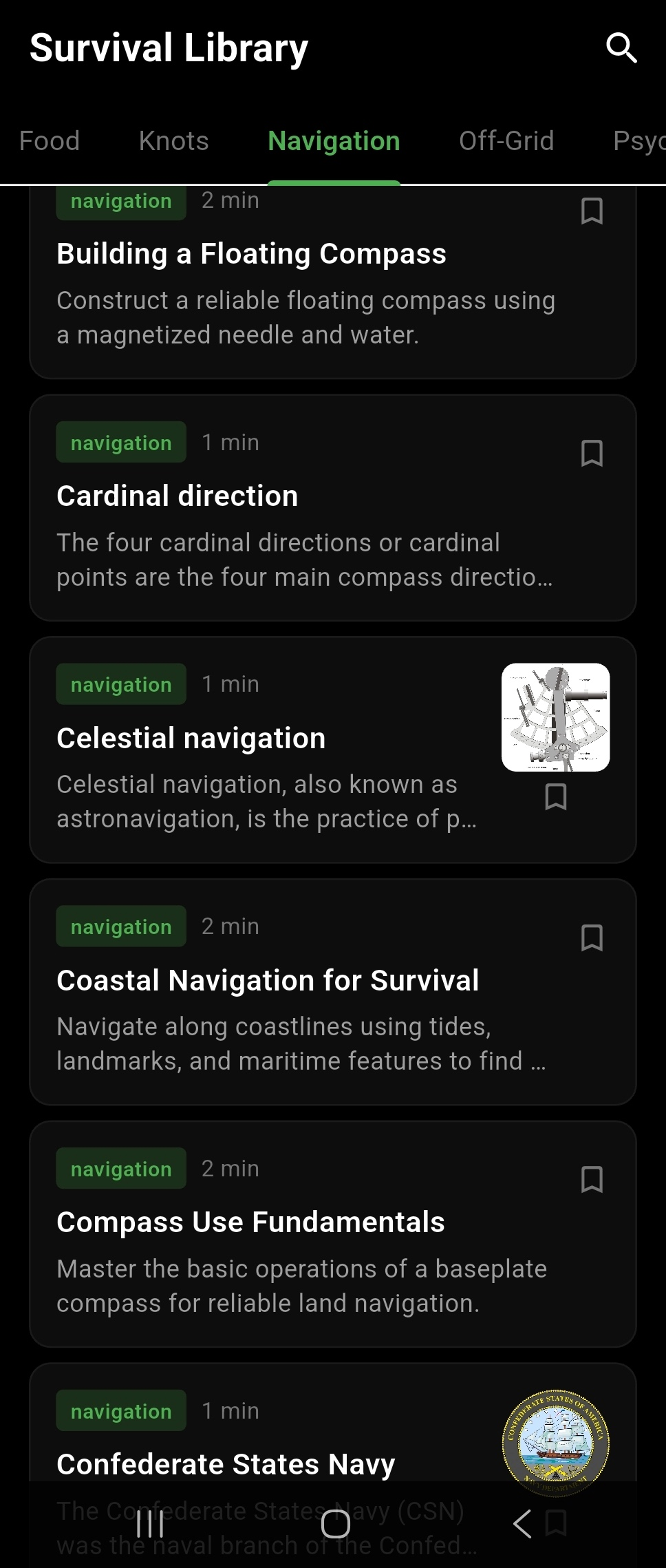
Nomadical includes a curated library of over 1,000 survival articles organized across 22 categories, including First Aid, Navigation, Knots, Foraging, Shelter, Fire, and Water. All articles are stored on-device and accessible without any internet connection. Full-text search powered by BM25 ranking lets you find relevant articles quickly even across the entire library. You can bookmark articles for fast access and flag articles to mark them for review or follow-up. The breadth of categories ensures coverage across the full spectrum of wilderness and emergency preparedness topics.
Use Case
A backcountry camper wants to refresh their knowledge on water purification methods before a multi-day trip into an area without potable water sources. They search the library for 'water purification' and instantly find ranked, relevant articles covering boiling, filtration, and chemical treatment — all readable offline.
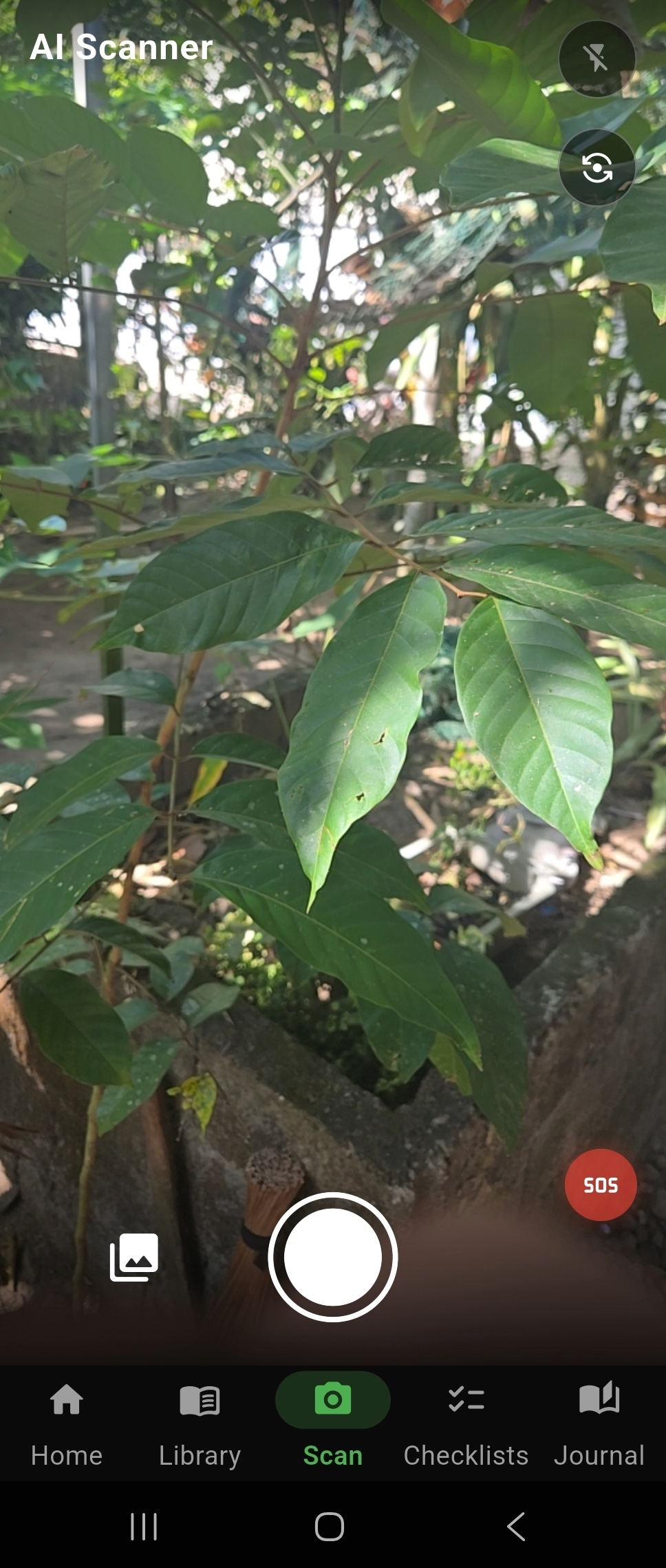
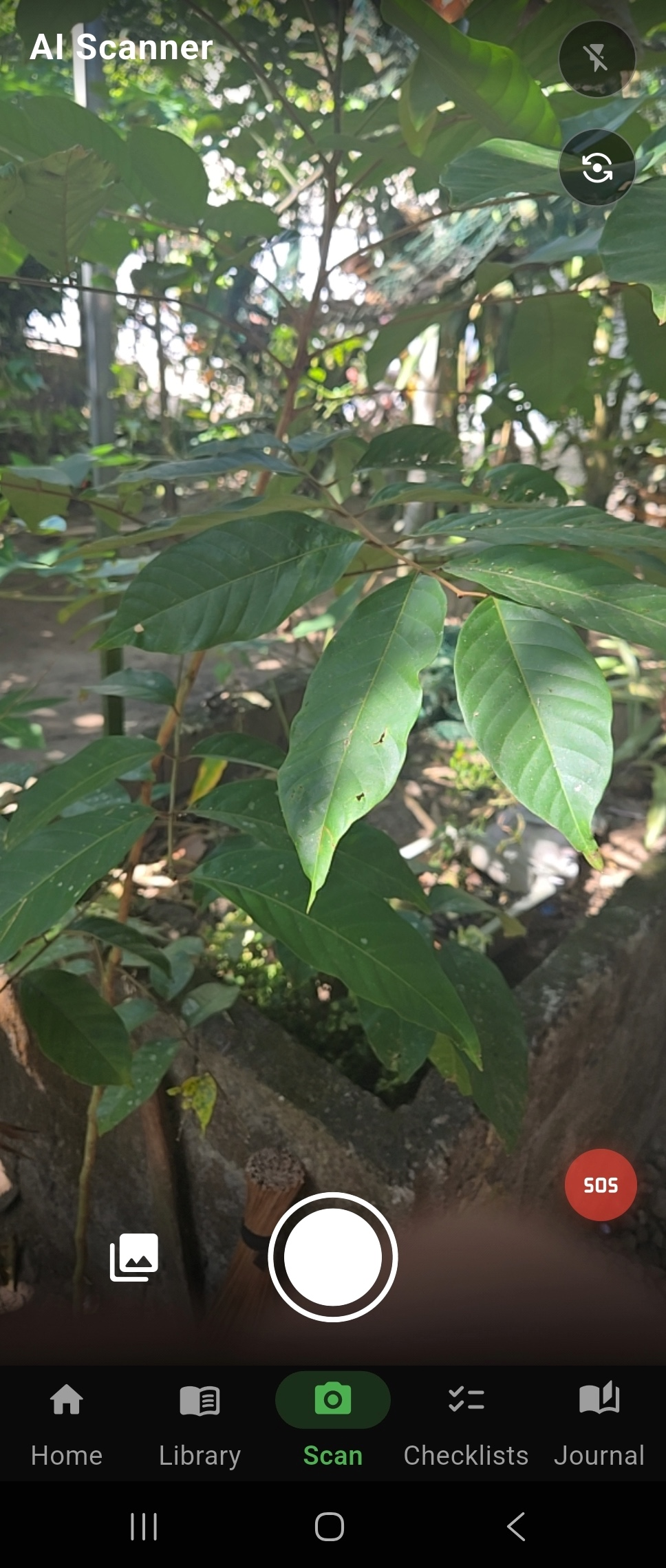
The AI Scanner uses Nomadical's on-device vision model to identify plants, and objects through your device's camera. Point the camera at a subject and the vision model analyzes the image locally, returning identification results without sending any image data to external servers. This feature is designed to assist with foraging decisions, wildlife awareness, and field identification tasks in environments where internet access is unavailable. Because the model runs on-device, identification results are available even in areas with no cellular or Wi-Fi signal. As with all AI features, results should be verified against authoritative sources before acting on them.
Use Case
A forager spots an unfamiliar mushroom on a trail and wants a preliminary identification before deciding whether to harvest it. They open the AI Scanner, point their camera at the mushroom, and receive an on-device identification result to help inform their decision — with no cell signal required.
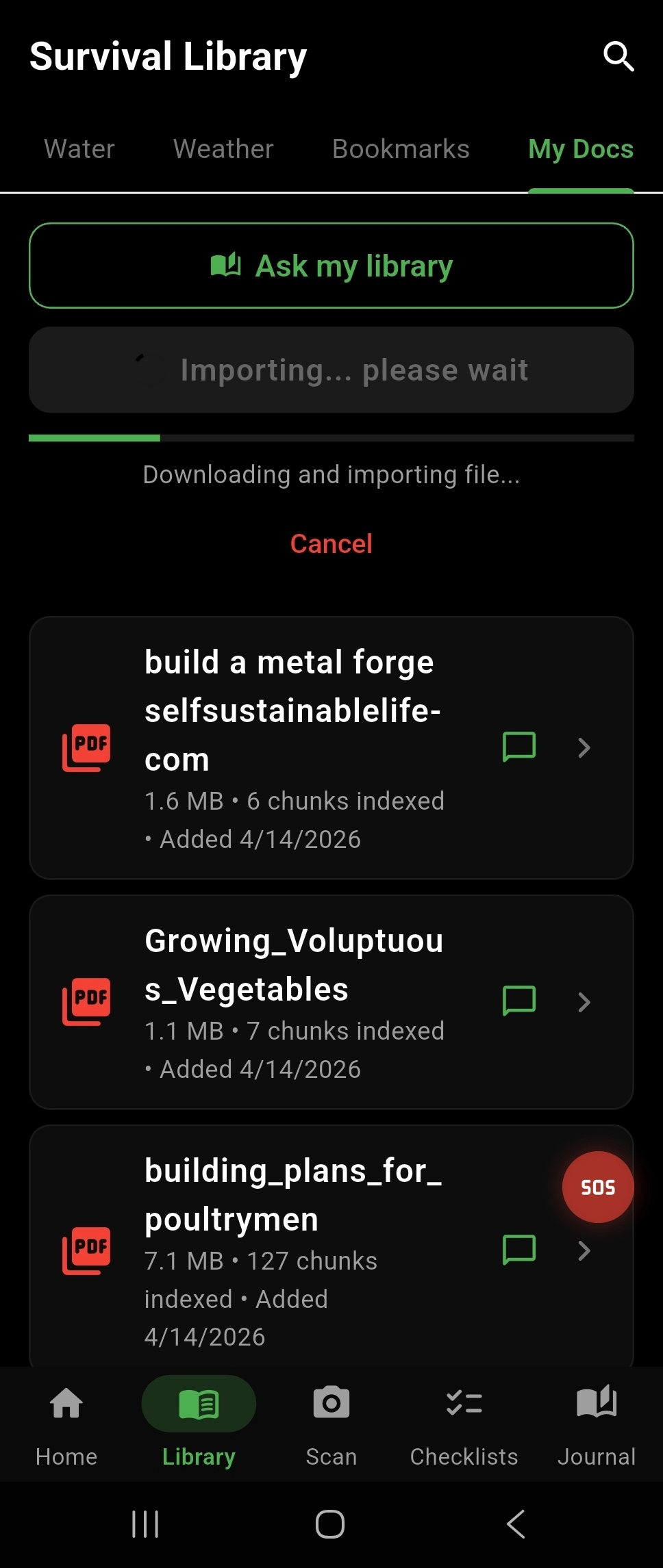
When you import a scanned PDF that contains image-based text rather than selectable text, Nomadical automatically runs on-device Optical Character Recognition (OCR) using Google ML Kit to extract the text content. This means physical documents you have photographed or scanned — such as printed field guides, handwritten notes converted to PDF, or legacy reference materials — become fully searchable and usable within the document RAG system. The OCR process happens entirely on your device without uploading your documents anywhere. Once processed, the extracted text is available for AI-powered chat and cross-library search. This removes the barrier of needing digitally-native documents to benefit from the AI assistant.
Use Case
A search and rescue volunteer has a printed regional plant identification guide that they scanned to PDF on their home printer. They import the scanned PDF into Nomadical, and the app automatically runs OCR to extract the text, making the entire guide searchable and available for AI-assisted queries during field operations.
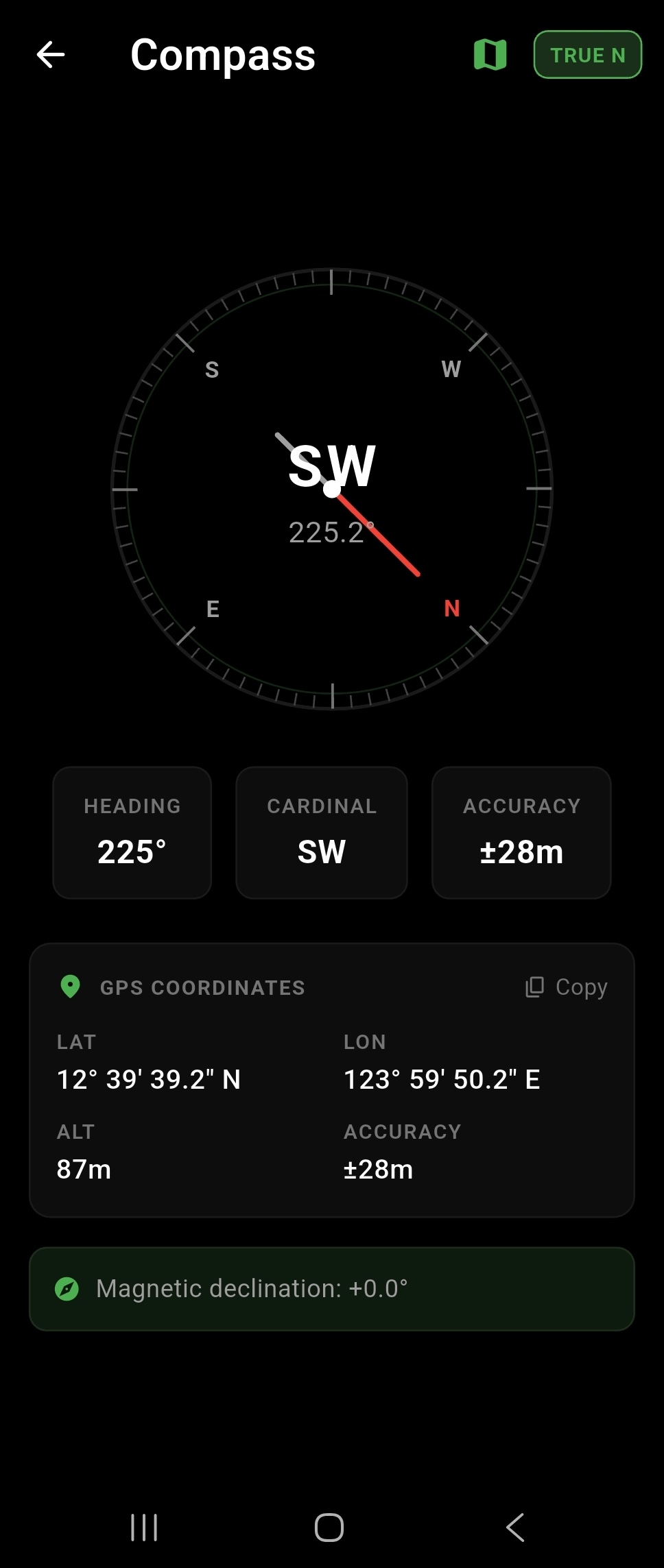
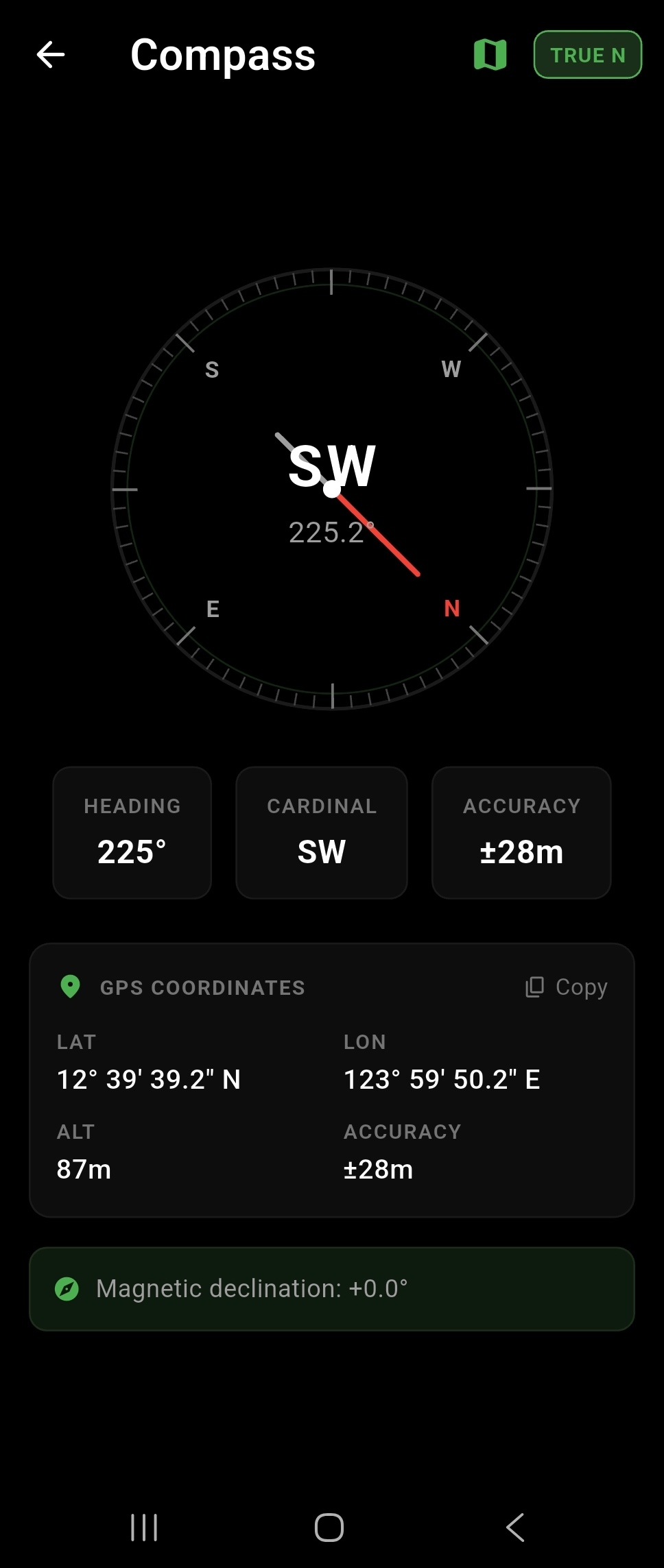
Nomadical includes a digital compass that provides bearing readings with true north correction and magnetic declination adjustment. Magnetic declination — the difference between magnetic north and true north — varies by geographic location, and the app accounts for this to give you accurate directional readings. This makes the compass useful for navigation tasks that require true north orientation, such as map reading and route planning. The compass operates using your device's built-in magnetometer and does not require an internet connection. It is designed as a practical field navigation tool for use in remote environments.
Use Case
A wilderness navigator is using a topographic map that references true north and needs their compass to match. They open the Nomadical compass, which applies magnetic declination correction for their location, giving them a true north bearing that aligns with their map for accurate route planning.
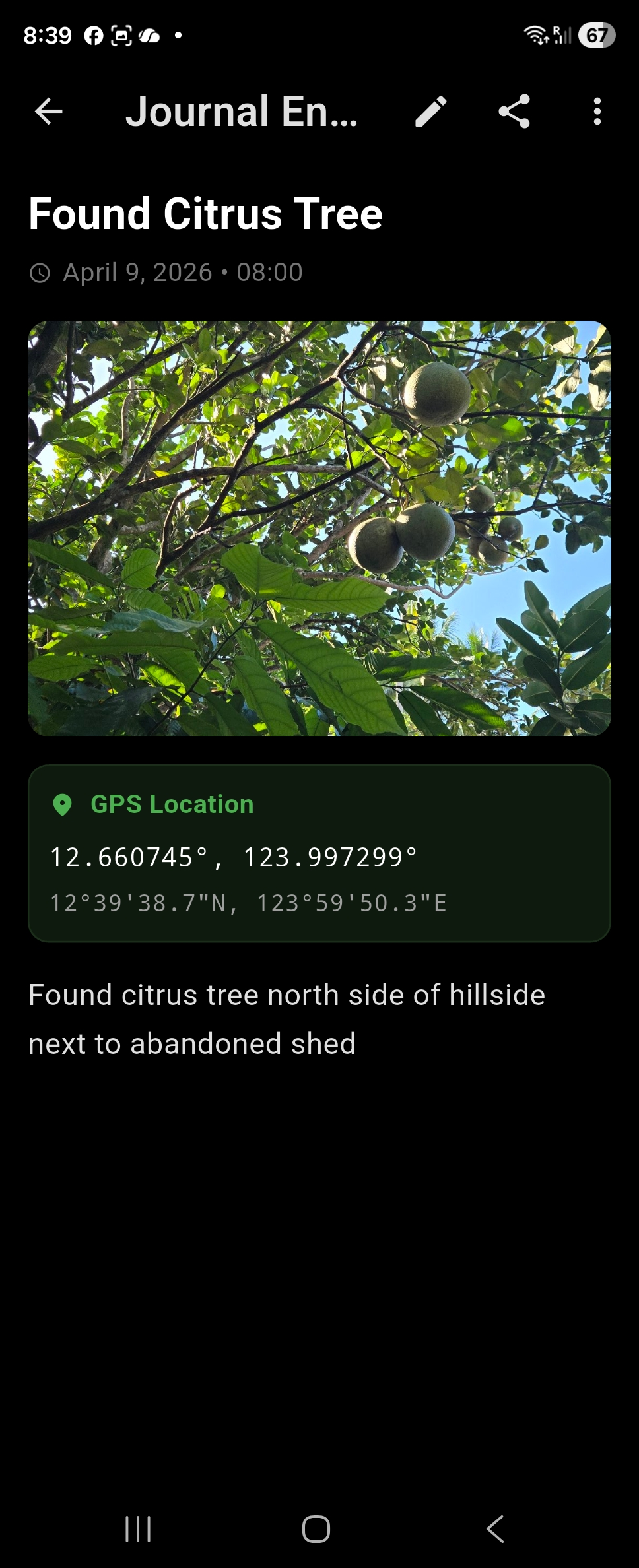
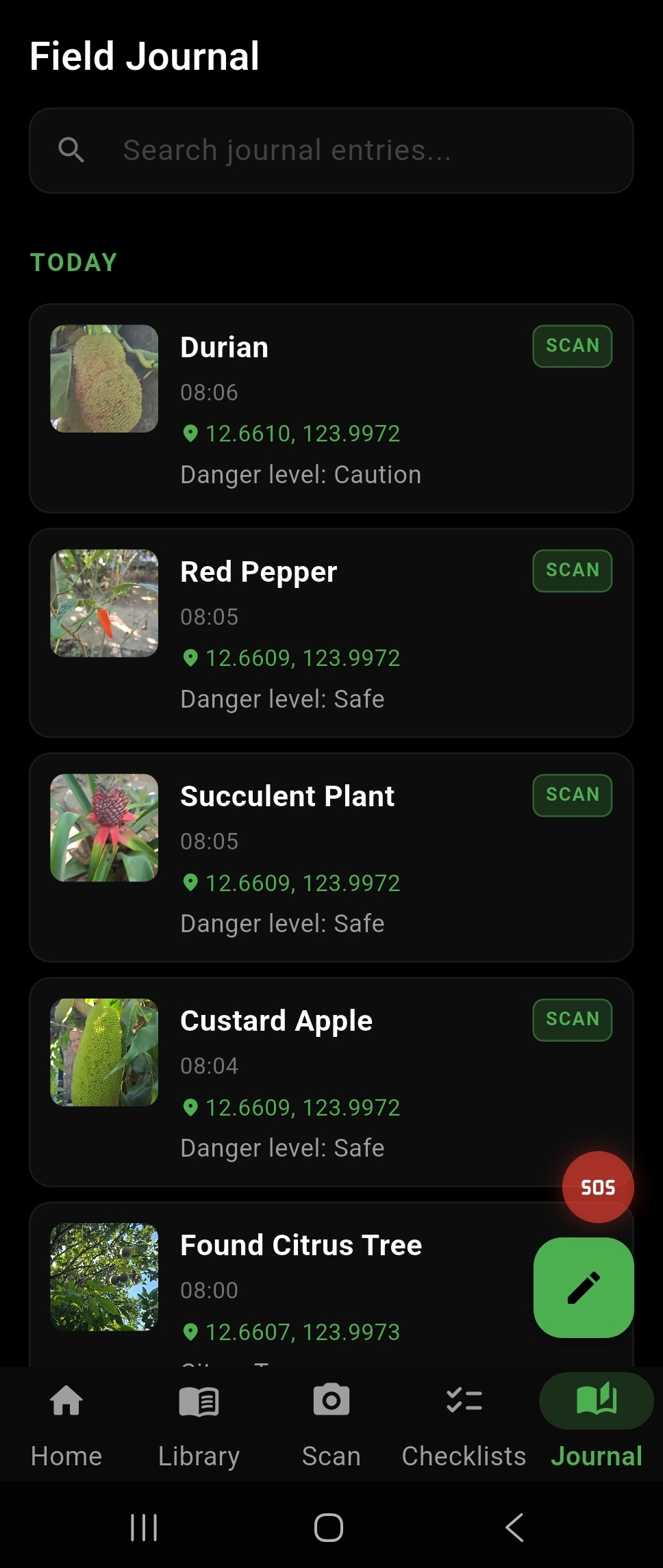
The Field Journal lets you create written entries directly within Nomadical, with each entry optionally tagged with your current GPS coordinates and accompanied by photos captured in-app. This creates a location-aware log of observations, findings, campsites, water sources, or any field notes you want to record. GPS tagging works using your device's location hardware and does not require internet connectivity. Photos are stored locally on your device alongside the journal entry. The journal is designed for use during active field operations where documenting your environment and movements is valuable.
Use Case
A wilderness survival instructor is scouting a new training area and wants to document water source locations, notable landmarks, and plant observations for future reference. They use the Field Journal to create GPS-tagged entries with photos at each point of interest, building an offline record they can reference on future visits.
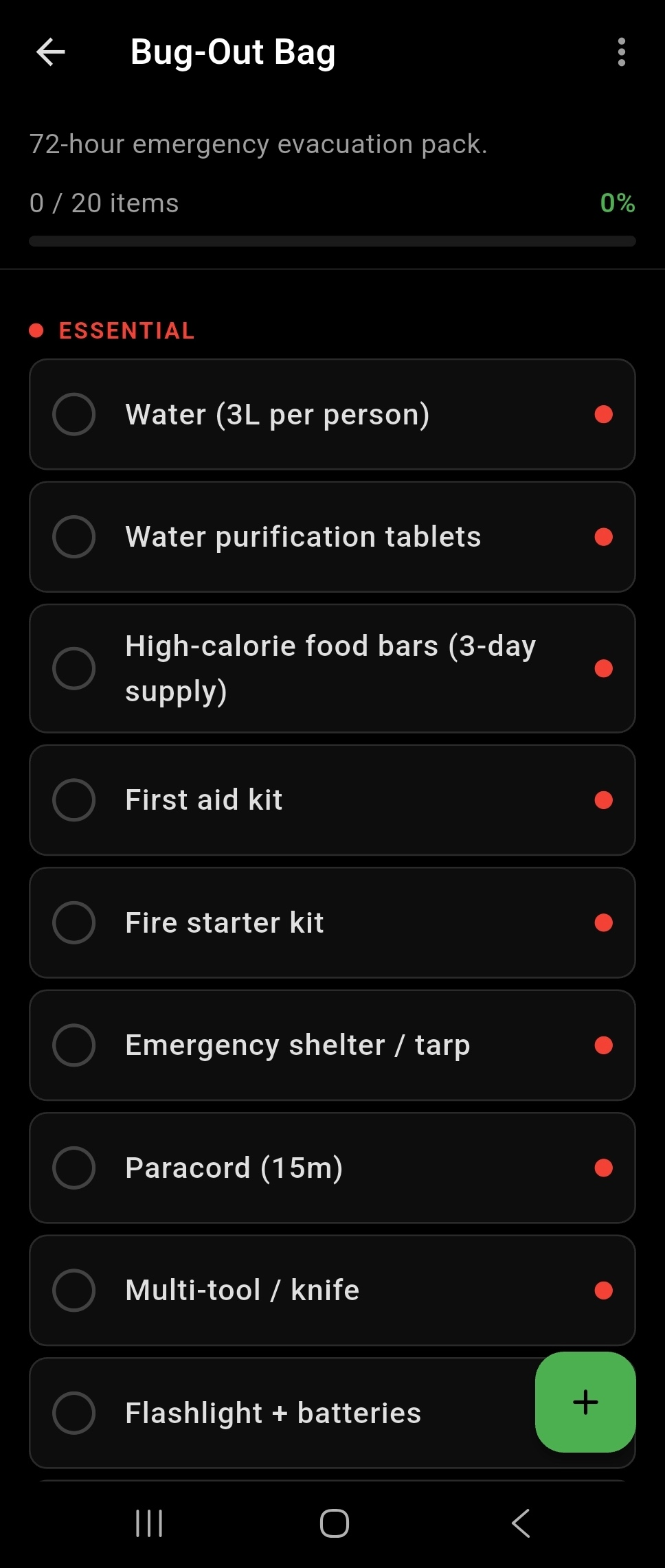
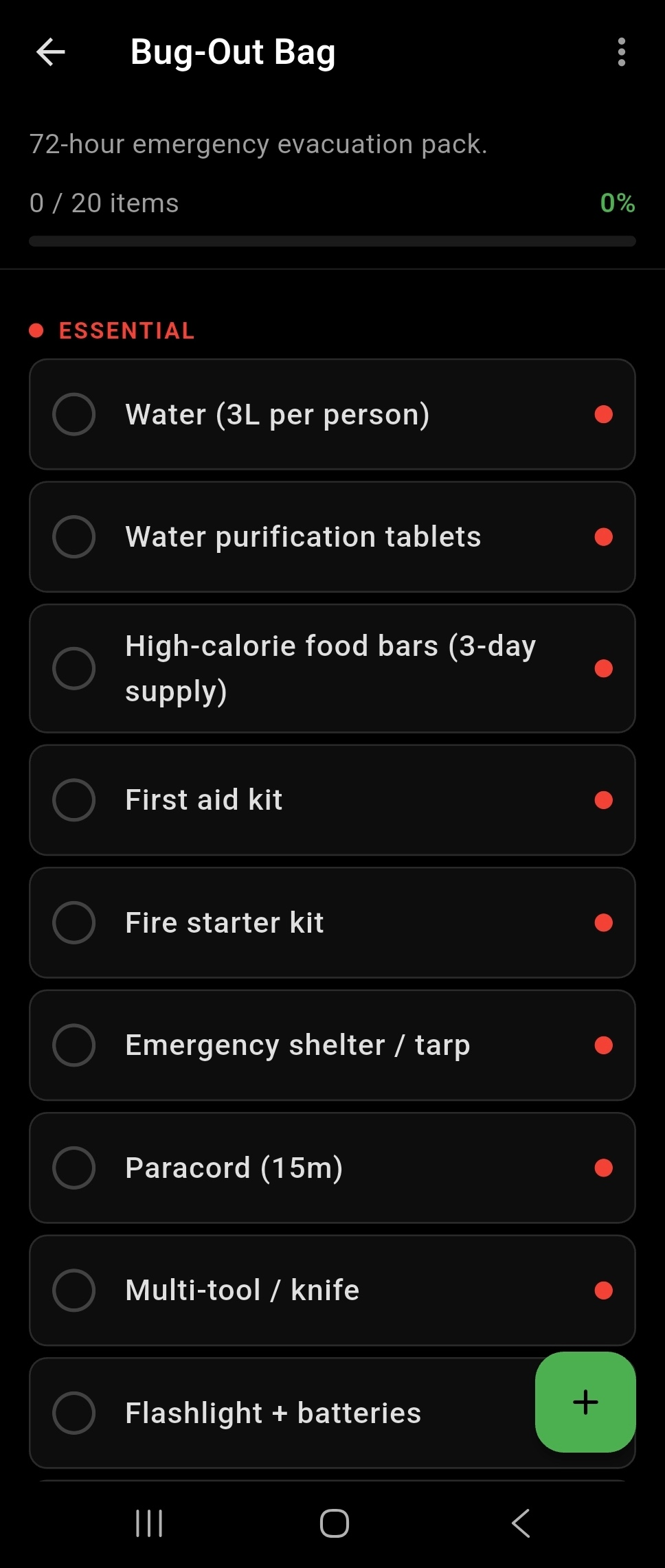
Nomadical includes an emergency checklist system with pre-built checklists covering common survival and preparedness scenarios, as well as the ability to create fully custom checklists. Pre-built options provide a ready-made starting point for standard emergency preparedness tasks, while custom checklists let you tailor lists to your specific activities, gear, or situations. Checklists are stored on-device and accessible without internet. This feature is designed to reduce cognitive load in high-stress situations by giving you a structured, step-by-step reference. Items can be checked off as they are completed.
Use Case
An outdoor guide prepares a custom pre-trip safety checklist specific to their kayaking expeditions, covering gear checks, communication devices, and emergency contacts. Before each trip they run through the checklist in Nomadical to ensure nothing is missed, even when working from a remote launch point without cell service.
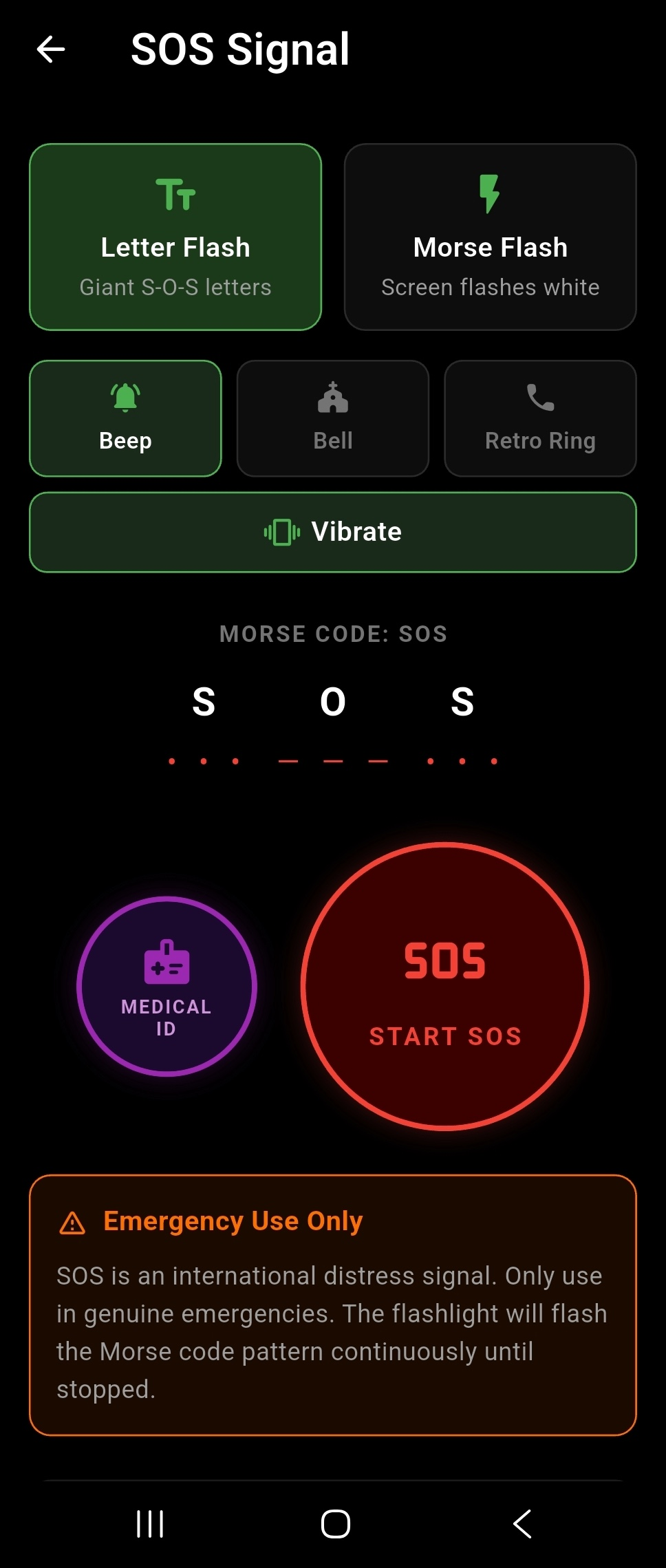
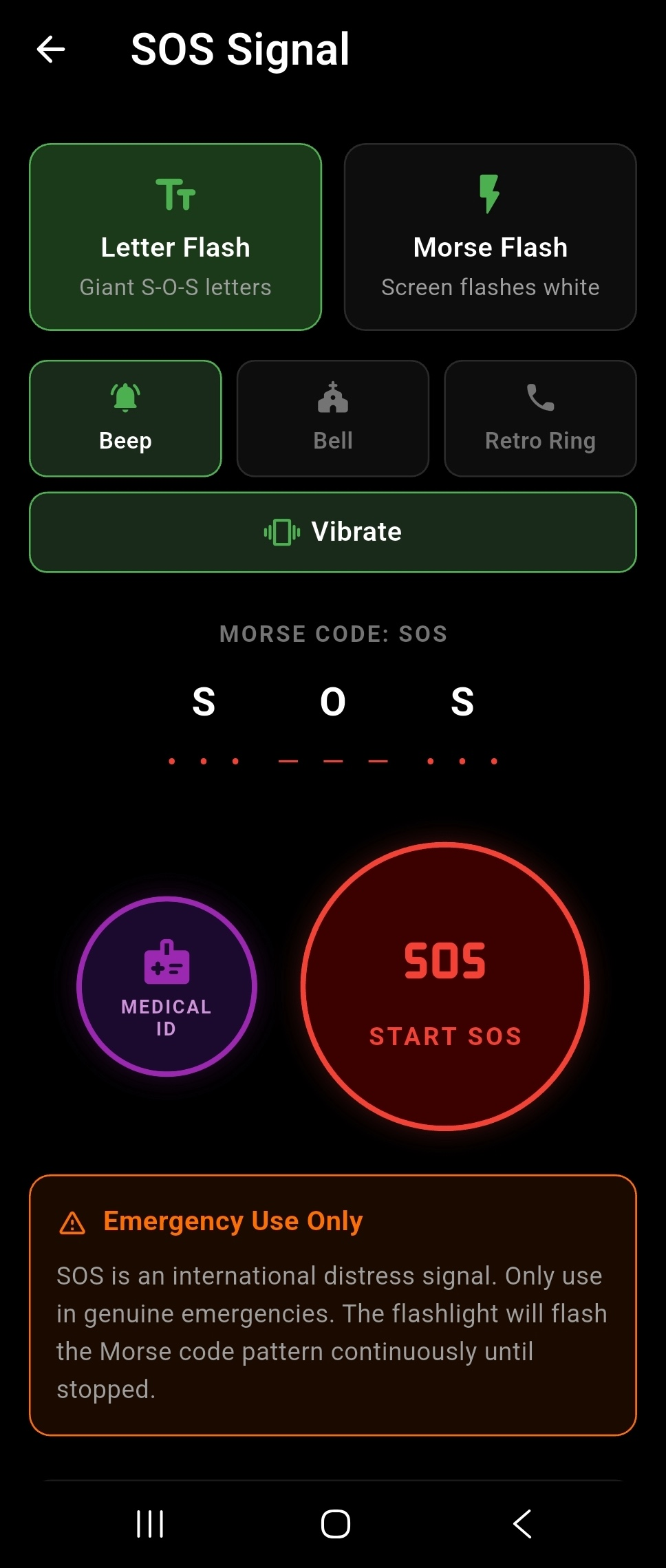
Nomadical's SOS mode enables emergency distress signaling using the international SOS Morse code pattern transmitted through three simultaneous output channels: the device torch (flashlight), the phone screen, and device vibration. This multi-channel approach maximizes the chance of the signal being detected by rescuers in low-visibility or noisy environments. The feature requires no network connection and works entirely using the device's hardware. SOS mode is designed for genuine emergency situations where attracting the attention of rescuers is critical. It can be activated quickly from within the app.
Use Case
A solo hiker suffers an ankle injury after dark in a remote area with no cell signal. Unable to walk out, they activate Nomadical's SOS mode, which begins flashing the torch, pulsing the screen, and vibrating in the SOS Morse code pattern to signal their position to a search and rescue team scanning the area.
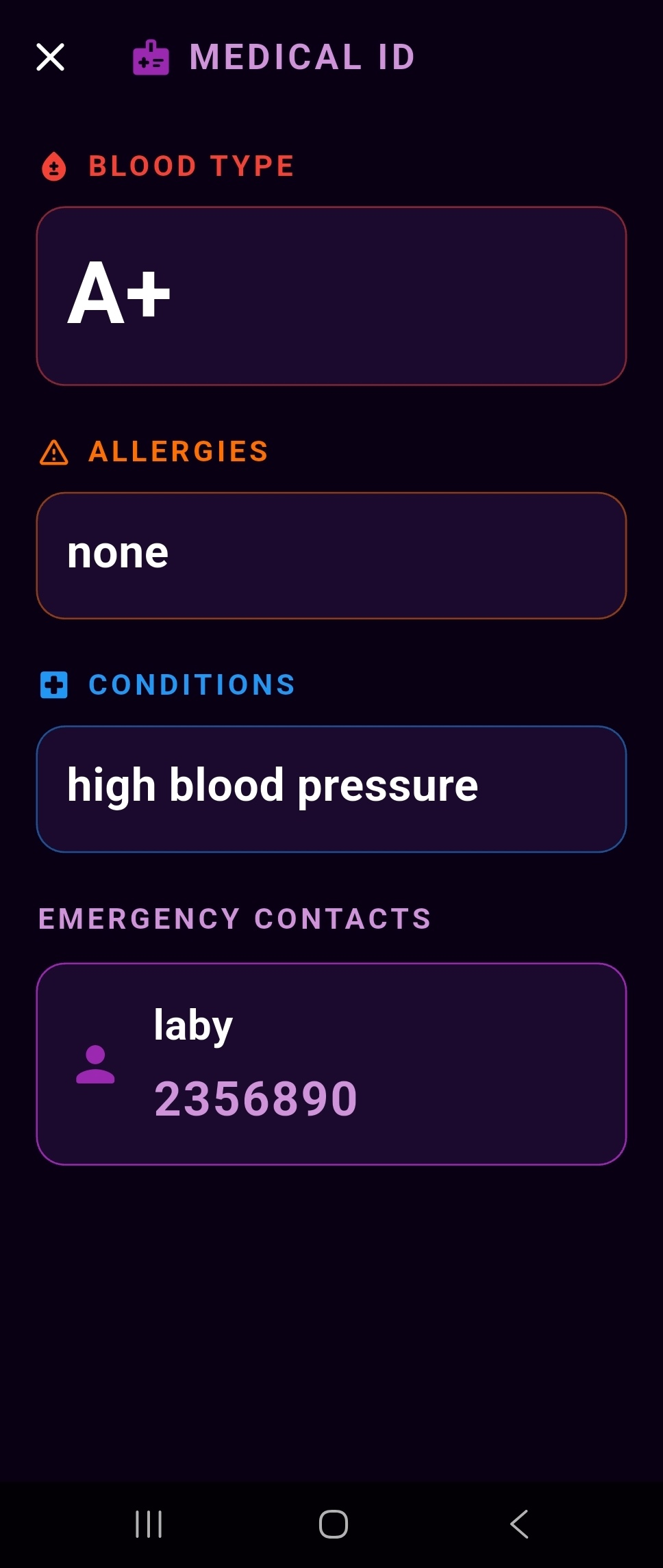
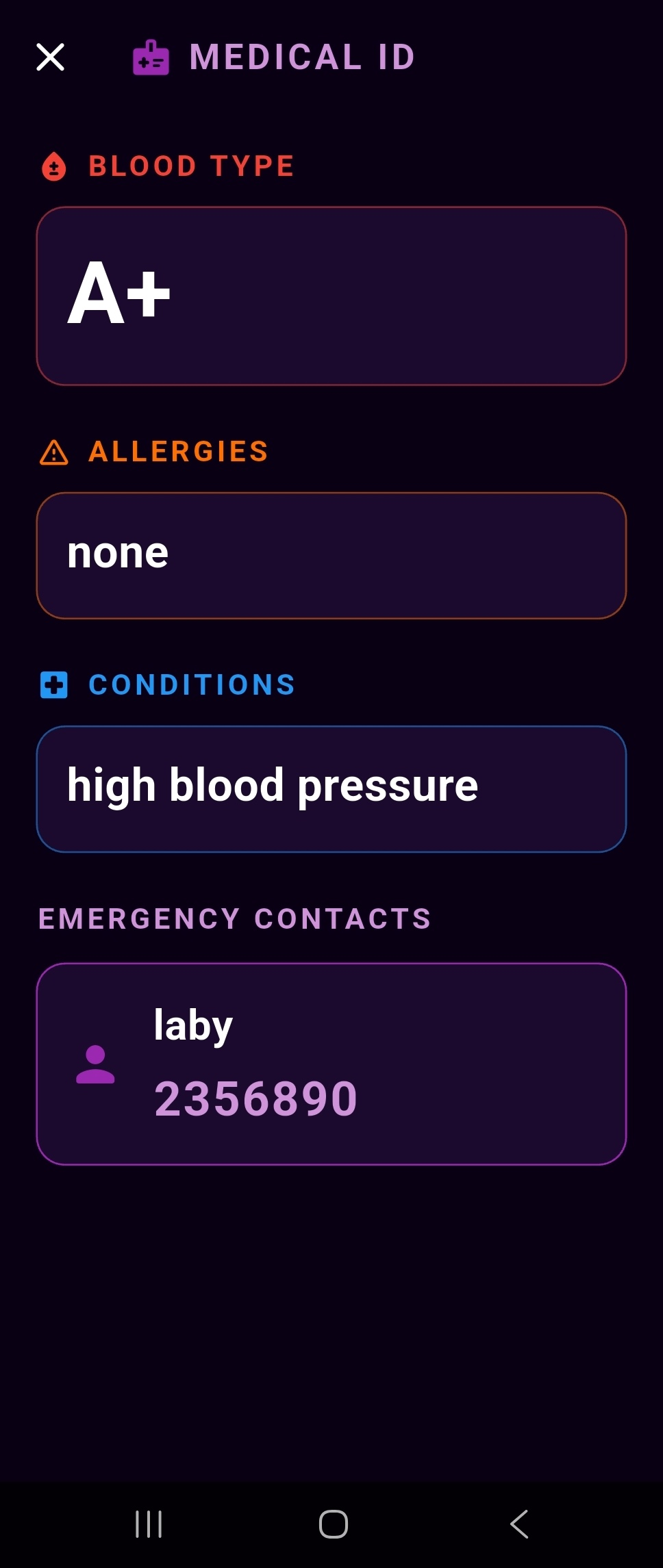
The Medical ID feature lets you store critical personal health information directly within Nomadical, including blood type, allergies, current medications, and emergency contacts. This information is stored locally on your device and is accessible offline at any time. In an emergency, having this information readily available can assist first responders or fellow travelers in providing appropriate care. The Medical ID is designed to be a quick-access reference for situations where you may be unable to communicate your own medical history. All data remains on your device and is never transmitted externally.
Use Case
A diabetic backpacker stores their insulin type, dosage, known allergies, and their doctor's contact information in Nomadical's Medical ID before a solo trip. If they become incapacitated, a fellow hiker or first responder can open the app and immediately access the critical medical information needed to assist them.
A detailed look at every feature in Nomadical
Nomadical includes a fully offline AI chat assistant powered by Gemma 4 2B, running entirely on your Android device with GPU inference and a CPU fallback for broader compatibility. You can ask survival questions, get step-by-step guidance, and receive contextual answers without ever sending data to a remote server. Because all processing happens locally, there are no subscription fees, no API costs, and no privacy trade-offs. The AI model is downloaded once during initial setup and then operates independently of any internet connection. This makes it reliable in remote wilderness areas, emergency situations, or any environment where connectivity is unavailable.
A hiker becomes stranded after a trail washout and loses cell service. They open Nomadical and ask the AI assistant how to build an emergency debris shelter for overnight temperatures near freezing. The assistant provides detailed, step-by-step guidance entirely on-device, with no signal required.

Nomadical's on-device Retrieval-Augmented Generation (RAG) system lets you import your own PDF, TXT, and Markdown documents and then chat with them using the AI assistant. The app indexes your uploaded files locally and retrieves relevant passages to ground AI responses in your specific documents. This means you can bring your own field manuals, medical references, or personal notes and query them intelligently without any cloud processing. A cross-library search feature lets you query across all uploaded documents simultaneously. All indexing, retrieval, and inference happen on-device, keeping your personal documents completely private.
A wilderness medicine instructor uploads their personal field reference manual as a PDF before leading a remote expedition. During the trip, they chat with the document to quickly locate specific wound care protocols, with the AI surfacing the exact relevant passages from their own manual — offline and instantly.

Nomadical includes a curated library of over 1,000 survival articles organized across 22 categories, including First Aid, Navigation, Knots, Foraging, Shelter, Fire, and Water. All articles are stored on-device and accessible without any internet connection. Full-text search powered by BM25 ranking lets you find relevant articles quickly even across the entire library. You can bookmark articles for fast access and flag articles to mark them for review or follow-up. The breadth of categories ensures coverage across the full spectrum of wilderness and emergency preparedness topics.
A backcountry camper wants to refresh their knowledge on water purification methods before a multi-day trip into an area without potable water sources. They search the library for 'water purification' and instantly find ranked, relevant articles covering boiling, filtration, and chemical treatment — all readable offline.

The AI Scanner uses Nomadical's on-device vision model to identify plants, and objects through your device's camera. Point the camera at a subject and the vision model analyzes the image locally, returning identification results without sending any image data to external servers. This feature is designed to assist with foraging decisions, wildlife awareness, and field identification tasks in environments where internet access is unavailable. Because the model runs on-device, identification results are available even in areas with no cellular or Wi-Fi signal. As with all AI features, results should be verified against authoritative sources before acting on them.
A forager spots an unfamiliar mushroom on a trail and wants a preliminary identification before deciding whether to harvest it. They open the AI Scanner, point their camera at the mushroom, and receive an on-device identification result to help inform their decision — with no cell signal required.

When you import a scanned PDF that contains image-based text rather than selectable text, Nomadical automatically runs on-device Optical Character Recognition (OCR) using Google ML Kit to extract the text content. This means physical documents you have photographed or scanned — such as printed field guides, handwritten notes converted to PDF, or legacy reference materials — become fully searchable and usable within the document RAG system. The OCR process happens entirely on your device without uploading your documents anywhere. Once processed, the extracted text is available for AI-powered chat and cross-library search. This removes the barrier of needing digitally-native documents to benefit from the AI assistant.
A search and rescue volunteer has a printed regional plant identification guide that they scanned to PDF on their home printer. They import the scanned PDF into Nomadical, and the app automatically runs OCR to extract the text, making the entire guide searchable and available for AI-assisted queries during field operations.

Nomadical includes a digital compass that provides bearing readings with true north correction and magnetic declination adjustment. Magnetic declination — the difference between magnetic north and true north — varies by geographic location, and the app accounts for this to give you accurate directional readings. This makes the compass useful for navigation tasks that require true north orientation, such as map reading and route planning. The compass operates using your device's built-in magnetometer and does not require an internet connection. It is designed as a practical field navigation tool for use in remote environments.
A wilderness navigator is using a topographic map that references true north and needs their compass to match. They open the Nomadical compass, which applies magnetic declination correction for their location, giving them a true north bearing that aligns with their map for accurate route planning.

The Field Journal lets you create written entries directly within Nomadical, with each entry optionally tagged with your current GPS coordinates and accompanied by photos captured in-app. This creates a location-aware log of observations, findings, campsites, water sources, or any field notes you want to record. GPS tagging works using your device's location hardware and does not require internet connectivity. Photos are stored locally on your device alongside the journal entry. The journal is designed for use during active field operations where documenting your environment and movements is valuable.
A wilderness survival instructor is scouting a new training area and wants to document water source locations, notable landmarks, and plant observations for future reference. They use the Field Journal to create GPS-tagged entries with photos at each point of interest, building an offline record they can reference on future visits.

Nomadical includes an emergency checklist system with pre-built checklists covering common survival and preparedness scenarios, as well as the ability to create fully custom checklists. Pre-built options provide a ready-made starting point for standard emergency preparedness tasks, while custom checklists let you tailor lists to your specific activities, gear, or situations. Checklists are stored on-device and accessible without internet. This feature is designed to reduce cognitive load in high-stress situations by giving you a structured, step-by-step reference. Items can be checked off as they are completed.
An outdoor guide prepares a custom pre-trip safety checklist specific to their kayaking expeditions, covering gear checks, communication devices, and emergency contacts. Before each trip they run through the checklist in Nomadical to ensure nothing is missed, even when working from a remote launch point without cell service.

Nomadical's SOS mode enables emergency distress signaling using the international SOS Morse code pattern transmitted through three simultaneous output channels: the device torch (flashlight), the phone screen, and device vibration. This multi-channel approach maximizes the chance of the signal being detected by rescuers in low-visibility or noisy environments. The feature requires no network connection and works entirely using the device's hardware. SOS mode is designed for genuine emergency situations where attracting the attention of rescuers is critical. It can be activated quickly from within the app.
A solo hiker suffers an ankle injury after dark in a remote area with no cell signal. Unable to walk out, they activate Nomadical's SOS mode, which begins flashing the torch, pulsing the screen, and vibrating in the SOS Morse code pattern to signal their position to a search and rescue team scanning the area.

The Medical ID feature lets you store critical personal health information directly within Nomadical, including blood type, allergies, current medications, and emergency contacts. This information is stored locally on your device and is accessible offline at any time. In an emergency, having this information readily available can assist first responders or fellow travelers in providing appropriate care. The Medical ID is designed to be a quick-access reference for situations where you may be unable to communicate your own medical history. All data remains on your device and is never transmitted externally.
A diabetic backpacker stores their insulin type, dosage, known allergies, and their doctor's contact information in Nomadical's Medical ID before a solo trip. If they become incapacitated, a fellow hiker or first responder can open the app and immediately access the critical medical information needed to assist them.

Start free. Upgrade when you need more.
Get started at no cost
Unlock everything
Minimum device specifications to run this app and its AI features.
Min OS
Android 10+
Min RAM
6 GB
Storage
3 GB
Nomadical uses on-device AI models to generate responses and identification results. AI-generated content may contain inaccuracies and is not a substitute for professional medical, navigational, or survival advice — always verify critical information from authoritative sources before acting on it. The developers of Nomadical are not responsible for any decisions made based on AI-generated content produced by the app.
Have a question, feedback, or just want to say g'day? Drop us a message.
Our apps are launching soon on Google Play. Transform furniture, redesign rooms, and supercharge your productivity with AI — all from your phone.
Get in touch
skippy@kangablue.au